
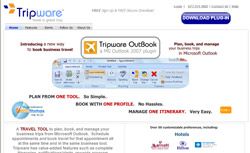
Booking and planning a business travel just got simpler with the launch of the new Beta Version of the travel service called Tripware. It is designed for a full integration into Microsoft Outlook 2007 calendars. The service is going to help business travelers plan, book, and manage their own business trips with the utmost ease, without ever leaving the Outlook page. Tripware focuses on making the booking process automatic and hassle free, for the self-serve business travelers.
Though some other companies have made attempts to develop a service that can be fully integrated with Microsoft Outlook, Tripware is the first one that has managed to release a functioning Beta Version. However, users who do not have Outlook need not worry, since Tripware also offers a desktop application for non-Outlook 2007 users.
How does Tripware work?
The user can download Tripware OutBook by visiting www.tripware.com. After he finishes downloading the OutBook plugin, the business traveler must now simply enter a meeting into the Outlook calendar, choose the city, the address and the airport code of the location of meeting. Next, all he has to do is, click on the Tripware Book Trip icon that is embedded in the appointment window, and he is all set for his trip.
Personal Preferences
Tripware allows the user to choose his travel preferences inside the Microsoft Outlook window. He can customize over 50 preferences that include airlines, hotels, car rental companies and all major business travel requirements.
More than Just Booking
Tripware offers more than mere travel booking to its users. Through this product, the business traveler has access to a number of loyalty program tie-ins, expense report management, travel notification and alerts and a complete itinerary access. And he does not even have to open his email or a website to know all these details. Tripware is a one-stop answer to all one’s business travel planning, and seems all set to deliver on its tagline: ‘Have a Great Trip’.